I have amassed a large collection of digital media over the 25+ years. I am a big believer, unless you have the physical file then you don't really own it, as was recently validated when Google removed Lord of the Rings from a user who thought he owned it.
I listen to my music with PlexAmp, which is a good enough music player, but still requires you to make the decisions as to what you are listening to. While there is a multitude of randomness playlists, it still lacks that surprise factor.
Coming from an old school BBC Radio 1, I wondered if I could turn my Plex library into a real radio station, with DJ's talking about the upcoming track, giving me insights I didn't know, setting small quizzes, and plundering parts of my library I had forgotten about.
The more I thought about this, I wanted a whole radio station, which different shows, hosted by different personalities. They would be scheduled shows, and once the show was gone, it was lost. The shows would each have its own remit, like the classic albums of the 1970s, or top movie soundtracks, or the back catalog of Elvis Presley.
I gave it some thought, and thought this would be a wonderful side project to throw AI at and see how well it performs. So I built Radio Clyde and open sourced it on GitHub. It runs locally as Radio Iona on a 24hr basis, broadcasting to my Sonos, Google TV App, Android App, or web.
I love it. Let's dig and explain how it all works.
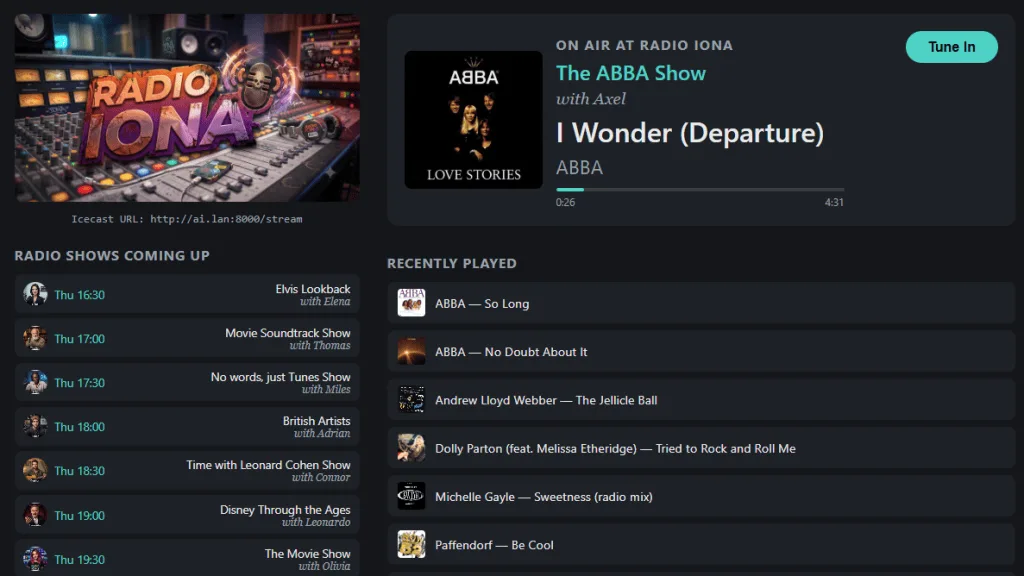
Components
It is built using the following open source components:
- Plex Server API for searching
- Icecast server for streaming
- Liquidsoap for feeding Icecast as to what to play
- Fastify/node for the web
- LM Studio + Gemma 4 for local AI
- Chatterbox for TTS (Text to Speech)
- ffmepg
- Node for the orchestration layer (radio producer)
The whole thing is running exclusively from a Ubuntu Linux 25GB memory virtual machine, on my desktop, peacefully in the background, available to my local network and also through a secure Cloudflare tunnel for the times I am outside of my home and want to listen to Radio Iona in the car or on my bike.
Show Production
It starts with a description of what the show is going to do and the types of music this show will go after. All described in a markdown file with one file per show. This file is then read by the show producer (the node orchestrator) that sends it to Gemma 4-26b model running locally, to pull out the necessary information it needs to produce the show.
The first thing that happens is the tracks for this show is sought. The AI creates the necessary Plex API queries, that will then go and search. There is a few global settings to make sure we don't repeat tracks within a given period of time and we don't chose tracks that are too long. To add more randomness into it, if Plex reports lots of pages of results (it maxes to 25 per page), then it randoms the pages so it can pick tracks from a wide range.
The tracks are curated and we get enough to fill up the show length. Now we need to get some interesting facts about the tracks. We do this, by looking at the album, then doing a Wikipedia lookup on the album to pull the data. All the albums data, is cached, so we don't keep hitting Wikipedia needlessly.
# 📻 Time with Elton John Show

**Duration:** 30 min
**Personas:** julian
**Segments:**

---

## Description

Half an hour through Elton John's whole catalog — hosted by Julian, refined
and articulate, genuinely wanting listeners to fall for each song.

## Hosts

- **Julian** — articulate, a little formal but never stuffy, drives the
  whole show solo.

## Track Selection

- Elton John, spanning his whole career.
- Tracks from different albums — avoid pulling more than one track from the
  same record.
- No Christmas tracks.

## Tone

Articulate and warm, treating each song like it deserves real appreciation
rather than just an announcement.

## Track moves

Every track gets an `intro` (short teaser before it plays) and a `recap`
(one interesting fact after it ends) — both draw on that track's
pre-fetched, Wikipedia-sourced facts. Don't reuse the same fact in both: if
it was spent on the intro, the recap should say something else about the
track. No more than a few sentences.
So our playlist is a sequence of the following pattern:
<dj track intro> <track> <dj track outro>
The script for the intro/outro is generated by the same model Gemma 4-26b, with a system prompt describing the personality of the DJ, which includes the types of phrases they would use. This can also include them creating a small quiz, "Can you guess which year this was released?", with the answer coming in the track outro.
First I had the model generate the full script in one API call, and frankly that was taking too long, and the quality wasn't great. I then broke it down, to do it in a series of API calls, producing each one individually, which turned out real fast. The key, was that I was able to stuff the interesting facts about the track into the prompt, so it had a narrower scope to chose from.
This worked really well, but one thing I noticed was that there was some repeated phrases being used in the same show. To solve this, I passed in the full show script through a final AI pass, to remove any repeated phases and to tighten up the flow, using the DJ's personality in the system prompt. This worked well and was fast.
Voice of a DJ
Now we had to turn the script into something human. There are a number of open source TTS (text-to-speech) systems, and after taking some of them for a run, I decided upon Chatterbox. This installed on my VM with no problems, and came with 30 odd voices. You can uploaded your own voice, to which it will mimic - that is very good. I initially stuck with the original ones. Now I didn't want to go through and assign personalities, so I had Gemini run through, create a personality and also generate a profile photo for each of the voices.
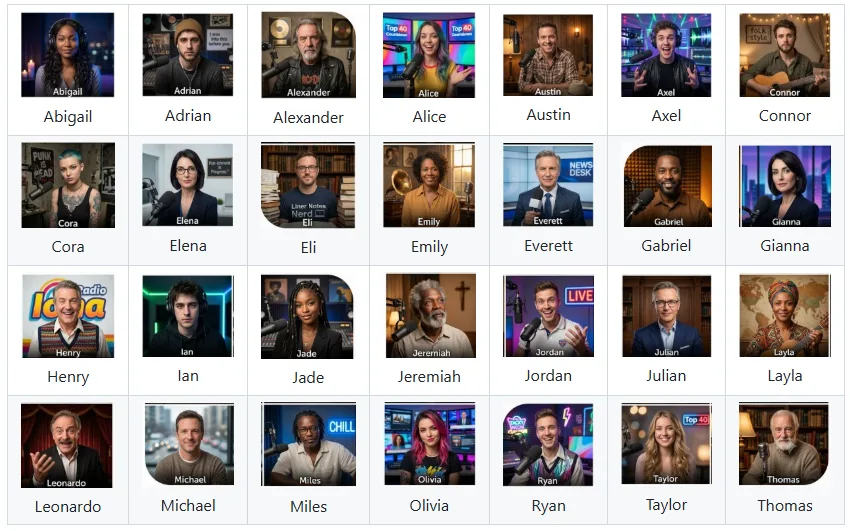
Once this was done, Chatterbox has an API to which to interact with it, so it was no effort to have my studio producer node app, pass each DJ script segment, to produce the .wav files for me to stitch together. I had to pass my .wav file through ffmpeg to convert it to an MP3 file for Icecast to deliver. This was a good step, as it allowed me to adjust the gain (voice volume).
Production time to turn text into speech, is about 1x/1.25x time of real time. So a 1min text will take 1min/1mins-15secs to produce. Clearly can't do it in real time with my hardware. Who cares - I schedule the production of the shows hours in advance and have them ready to go. For a given 30 min radio show, the DJ is only talking in total for maybe 5-8 minutes.
At this point, I have a series of path locations of MP3 files to which the Icecast server will iterate through.
Broadcasting to Icecast
To make interacting with Icecast easier, Liquidsoap is a small piece of software that manages the playlist, allowing you to change that in real time, with out restarting Icecast. Communication is done through a flat file, with the list of files to play. Liquidsoap detects changes in the file and makes the changes on-the-fly accordingly. So the hardest part for the studio producer was to write a flat text file in a known location.
Icecast is a streaming service, that can be listened via a web player, VLC, WinAmp, or TuneIn (which is how I broadcast it to my Sonos devices).
First Listen
After much fiddling with the script production, the overall flow worked well, and I was surprised at the natural quality of the DJ voice, handling each track. I wanted more.
While I was learning lots about tracks I forgot (or never knew I had), it still was missing that "radio" feel. One car journey, I tuned into the local radio to familiarize myself with a real radio FM station. What I was missing, was the radio indent itself, and also news and weather. Oooh I wonder.
I jumped over to Gemini, and after some playing around, got it to produce me a musical indent, that was kinda funky, and I use that at the start of each show "Radio Iona, playing your hits". Next, was the news and weather. For the news, I went back to Wikipedia, whose front page does a surprisingly good job of keep up with the latest mainstream headlines. I use the Open-Meteo weather API that gives me what I needed in real time.
Live Information
With the show being produced hours in advanced, that isn't going to work for me to produce news/weather segments. Fortunately those are much smaller, and for those, I produce those 1-hr before the scheduled broadcast, and create their corresponding MP3 files. Now I have my weather man, come in, twice an hour, with his weather report. I gave him a bit of a personality - "stay cool out there, on your commute home as it reaches 95 coming down to 80 in the evening". Since I know when the DJ is going to hand over to the weather man, I have the script adjusted accordingly, even though the actual weather isn't known nearer the show.
It works extremely well (see video at bottom for an example of it in action).
Running Order
With each radio show in the can, I needed an overall station.json file to control the schedule
of each show, that would allow the orchestration software to know when to produce the necessary files. I
have scheduled each day with its own running order of shows; 7am to 10pm each day.
Outside of those hours, I have no DJ talking, but instead play random tracks from Plex, that haven't yet been played. Thus making Radio Iona station 24 hours of continual music.
Listening Clients
One of things I wanted, was to see the history of the tracks played, so I could go back and find them. I also wanted Plex to register a listen, if there was at least one person streaming from Icecast. This is where Liquidsoap kicks in - it has a hook that runs a script at the end of each track. I hooked in a small node function, that looks to see if there is an active listener, and if there is, I go and call the Plex API to register that track as being listened to. Plex isn't playing the music, as Icecast reads the files directly from the file system - that was an easy read-only mount for my virtual machine from my NAS.
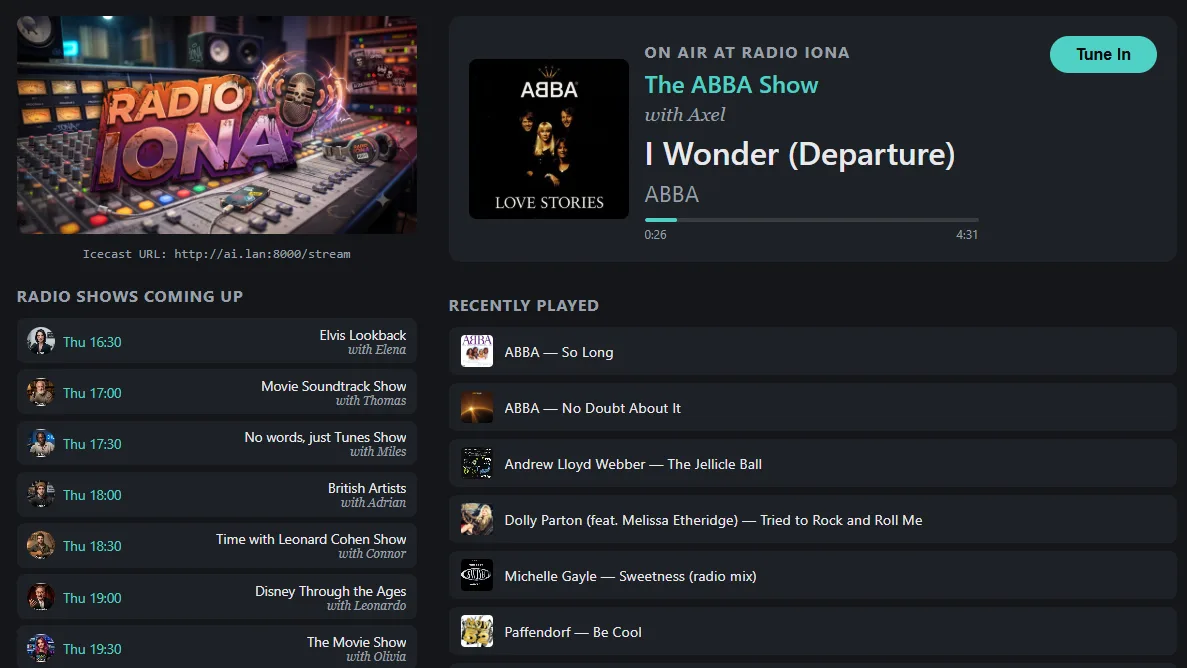
The first thing I created was a web app. It would render the player, the current show, last played tracks, and the upcoming shows. I also was able to get at the current progress of a given track, so the user using the web app could see how long was left to go. That worked beautifully.
I have a Samsung Frame in my office, with Google TV. At first, I thought, be cool to have Radio Iona on the TV, so I cast the tab of the webapp to the TV. Meh. That worked, but it was clunky. I can do better.
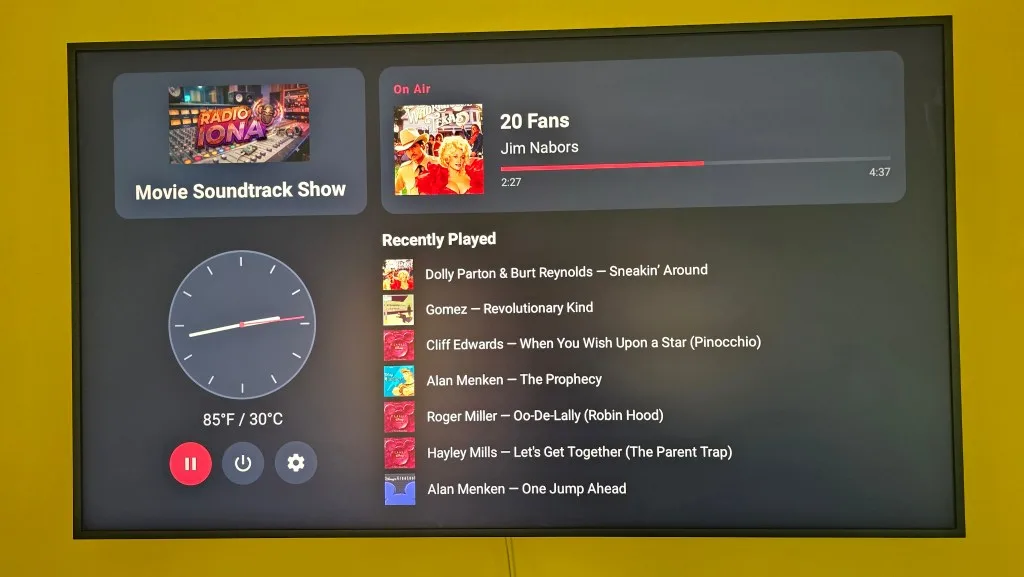
After a little investigation, created a Google TV app, that was a first class app, that could be controlled just like Netflix or YouTube. After doing that, I thought, mmm, why not add a clock and the current weather, and make the app render useful information in the background. That works beautifully and I have it installed on a number of TV's throughout the house.
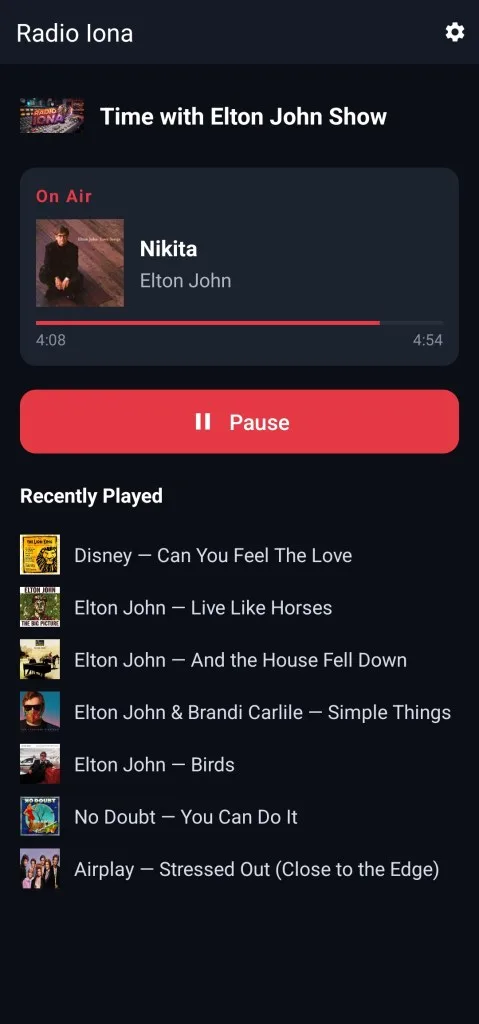
Next I was out and about, and was left wanting - TuneIn was fine, but wouldn't it be nice to have an Android app for my radio station. So I knocked that out, including the ability for it to automatically switch between my internal Icecast stream, and external CloudFlare one, when it detected the phone had moved outside of my internal network.
TuneIn was the missing link that allowed Sonos to stream my local radio to all my in-house speakers. That pretty runs all the time now, allowing people to turn up and down the Sonos speaker.
Art of the Possible
This has been a fabulous side project, that has pushed the "what if" envelope at each stage. I have a long list of features I am continually adding in to the radio station - including a request feature. More DJ voices are coming, including some more dedicate music quizzes.
From a listening perspective, it has allowed me to rediscover my own music collection, with insights I never knew. I have it playing, continually, in the background, and I smile every so often a track catches my ear. I have a wide array of different shows, from soundtrack, to specific artist focus, to era shows, it has been fun to play with it. I had AI randomize my show running order for each day, so I have no clue what is coming up.
What I love about it all, is that it is relying on no external services (Wikipedia not withstanding) for the production of the script, voice and broadcasting of the data. All AI calls being done internally, fast and secure.
What started as a fun side project, has found its way into being used every day. I have spent the last few weeks tweaking and ironing out some bugs, mostly around the scheduling/production of the shows. It monitors the control files, so any changes, do not require a restart.
AI is proving its worth here, not only as a tool that helped create all the code, but also as part of the product itself, utilizing local models to create scripts and help curate show playlists. This was the sort of project that would not have been feasible, without a lot of human effort.
AI enables what your imagination can dream.
For more details visit https://github.com/a1anw2/radioclyde